MVP development builds the smallest working product that lets real users complete one important task, so a founder can test a product question before investing more. It includes scope definition, interface design, frontend and backend development, quality checks, a production release, and handover of code and accounts. Diffwise.app plans this work around one user task and one learning goal.
Capabilities
MVP scope definition
User task and flow design
Interface design and prototyping
Web and mobile first releases
Backend, data, and sign-in setup
Release tracking and handover
Finish a half-built MVP
Bring the current repository, working screens, and the smallest user journey that still needs completion. We separate missing features from broken foundations. We review access, data, deployment, and test coverage before extending the app.
The first plan identifies what to keep, what blocks release, and what can wait. When ownership or reliability is unclear, start with software project rescue.
What should an MVP include, and what can wait?
An MVP should let one type of user complete one important task from start to finish. Every item in the first release should support that task or the question you want to answer. A feature for a different user, or for a later step in the journey, can usually wait.
Sort each proposed feature into three lists. Keep what the task needs. Move useful ideas to a later list. Mark steps a person can handle by hand for the first users, such as approvals, onboarding emails, or weekly reports. Manual steps are cheap to change while you learn.
Usually keep: the core task flow, sign-in if the task needs an account, server validation, clear error and empty states, and basic event tracking.
Usually keep: a simple admin or staff view, so someone can see and fix records.
Usually wait: extra user roles, settings pages, custom dashboards, and a second platform.
Usually wait: automation for rare tasks, and integrations the first users do not need.
Do not cut: accessibility basics, data backups, and permission checks. Cutting these adds risk, not speed.
How does an MVP project run, week by week?
The plan below is a typical shape for a narrow web MVP with one core task. It is an example, not a promise. Your timeline depends on scope, dependencies, and how quickly decisions get made. Mobile apps, payments, sensitive data, or several integrations usually extend it. App store review also adds time that no team fully controls.
Founders in the US, UK, Canada, and Australia rarely share a full working day with their delivery team. That works if the rhythm is agreed early. Set a short, regular overlap window for live decisions. Move the rest to writing: weekly progress notes, recorded demos, and a decision log with an owner and a date for each open question. Agree on a response time for blocking questions, so one missed call does not cost a day.
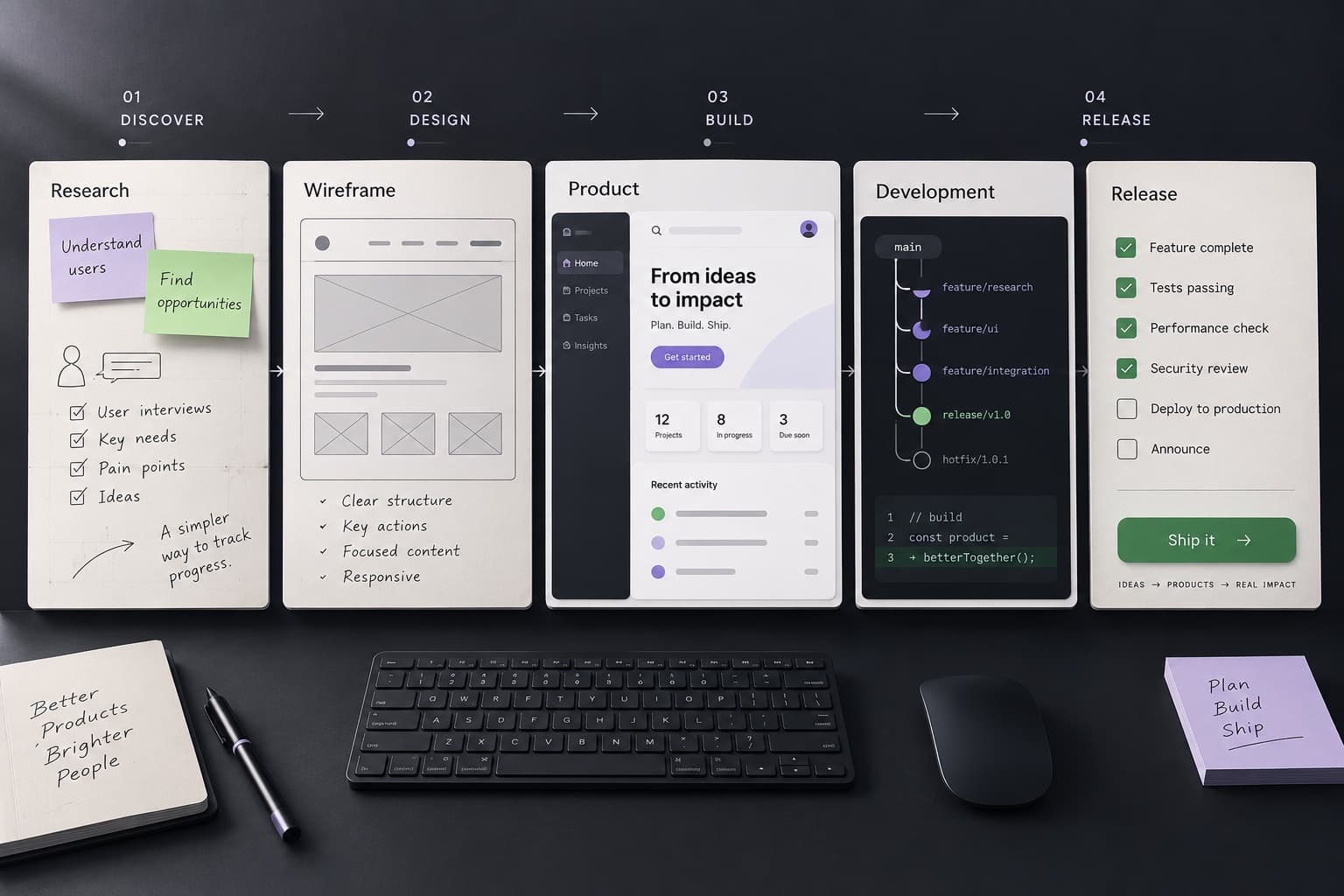
Week 1, discovery: confirm the user, task, learning goal, and constraints. Review any existing code, data, or accounts.
Week 2, flows and design: map the task screen by screen. Test a clickable prototype with a few target users if you can.
Weeks 3 to 6, build: deliver complete slices that work from interface to database. Review each slice in a demo.
Week 7, hardening: test failure paths, permissions, accessibility, and performance on target devices.
Week 8, release and handover: deploy to production, confirm tracking, and transfer access and documentation.
What drives MVP development cost?
MVP cost follows the amount of work and the amount of uncertainty. Feature count matters less than most founders expect. One difficult integration can cost more than five simple screens.
Ask each agency to split its estimate into discovery, design, build, testing, and release, with assumptions and exclusions in writing. Diffwise.app does not publish fixed MVP prices. Our website development cost breakdown guide shows how to compare quotes line by line.
User types and roles, and how their permissions differ.
Platforms: a web app, one mobile platform, or iOS and Android together.
Integrations: payments, calendars, maps, AI services, or an existing API.
Data rules: sensitive records, compliance needs, and audit history.
Design depth: a clean standard interface or a custom visual system.
Unknowns: unproven APIs, unclear workflows, or decisions still open.
Running costs after launch: hosting, third-party services, app store fees, and support.
Fixed scope or time and materials: which fits an MVP?
A fixed-scope agreement sets the features and the fee before the build starts. It suits an MVP with a clear task, known integrations, and few open questions. The tradeoff is change. New ideas need a change request, and the fee often includes a buffer for risk.
Time and materials bills for the work done. It suits an MVP where you expect to learn and adjust during the build. The tradeoff is budget control. You need a ranked priority list, regular progress reviews, and a spending cap.
Many founders combine the two. A short discovery phase defines the scope and the risks. The build then runs as fixed scope or as capped time and materials, based on what discovery found.
What should you own when the MVP is handed over?
You should be able to run, change, and move your product without the team that built it. Agree on ownership in the contract before work starts, not at the end.
Our software project handover checklist shows how to confirm each item with a working demonstration.
Source code in a repository under your organization's account.
Hosting, database, and cloud accounts in your company's name, with billing you control.
Your domain, DNS, email, and app store developer accounts.
Third-party service accounts, such as payments, analytics, and email delivery, with keys you can rotate.
Setup, deployment, and environment notes that another developer can follow.
A list of known issues, open decisions, and the next recommended work.
How do you know an MVP is ready to launch?
An MVP is ready when target users can complete the core task without help and you can measure the result. It does not need the features on the later list. It does need to fail safely. Our MVP development process guide covers how to measure the first release.
A new user completes the core task on target devices without guidance.
Errors show a clear message and a next step, and no data is lost or duplicated.
Permissions stop users from seeing or changing records that are not theirs.
Tracking records the events that answer the learning goal.
Backups, monitoring, and a way to reach support are in place.
One person owns the decision that follows the first results.
When the existing product runs on no-code
Before rebuilding a Bubble app or Airtable workflow as an MVP, review which product limits require custom code. Compare a smaller backend replacement with a full rebuild.
We adjust the detail to the product. The sequence keeps each decision connected to delivery.
01
Understand the product
02
Define the connected scope
03
Design the experience
04
Build the product system
05
Run measurable quality checks
06
Release and improve
Technical quality standards
Quality starts before release.
Define one user task and one learning goal before design starts.
Keep server validation, permissions, and error states in the first release.
Track the events that answer the learning goal.
Keep source code and service accounts under founder ownership.
Run accessibility, performance, and recovery checks before release.
Frequently asked questions
Useful answers first.
What is MVP development?+
MVP development builds the smallest working version of a product that lets real users complete one important task. The goal is to learn whether the product works for them before you spend more on features.
How long does it take to build an MVP?+
It depends on scope, platforms, integrations, and how quickly decisions get made. Mobile apps, payments, and complex integrations add time. Diffwise.app does not publish a fixed timeline. The team can propose milestones after it understands the scope and constraints.
How much does MVP development cost?+
Cost depends on user roles, platforms, integrations, data rules, design depth, and open unknowns. Diffwise.app does not publish fixed MVP prices. Ask every agency for an estimate split by phase, with assumptions and exclusions, so you compare quotes on the same scope.
Should my MVP be a web app or a mobile app?+
A web app often fits when users work at a desk, need quick sign-up, or arrive from search and shared links. A mobile app fits when the task needs the camera, location, notifications, or frequent use away from a computer. Our web app vs mobile app guide covers the tradeoffs.
Can a prototype or no-code app become a production MVP?+
Yes, when a review supports that path. Start with a review of what the prototype does well, where data and permissions live, and what needs rebuilding. Some screens and flows can stay. Sign-in, data validation, and error handling usually need production work.
Do I own the code after the MVP is built?+
Yes, where the project agreement assigns those rights to you. Agree in the contract that source code, service accounts, and product data belong to your company. Confirm the repository, accounts, and documentation transfer as part of the project scope.
How does an MVP project work across time zones?+
Agree on a short, regular overlap window for live decisions. Use written updates, recorded demos, and a shared decision log for the rest. Share your time zone in the project inquiry so the working rhythm can be planned from the start.
What happens after the MVP launches?+
Review the results against the learning goal. Then choose the next release, a focused fix, or a pause. The next step should follow the evidence, not a longer feature list.
What does each mobile app feature add to the estimate? Effort ranges by feature, Apple and Google developer fees, store commissions, and testing rules.
Put two or more software development quotes on one worksheet: scope, effort, rates, exclusions, change rules, ownership, and support. Compare totals last.
When to move from Bubble, Webflow, Airtable or Zapier to custom code: warning signs, a developer handover package, a migration plan and a decision checklist.
Project inquiry
Build the next useful difference.
Tell us what needs to connect across your product.