
The short answer
What this means for you
Move from no-code to custom code when a documented platform limit, a rising cost curve, an export restriction, or a compliance requirement blocks something your business needs, and the workarounds now cost more than a rebuild. Many products should stay on no-code longer than founders expect. If you do move, test your exports early, keep or redirect every valuable URL, plan how users will sign in, run both systems in parallel, and cut over only after a feature-by-feature comparison.
- Switch when a documented limit, cost, or requirement blocks your roadmap, not because custom code feels more serious.
- Read the vendor's own limits first: Bubble workload and API limits, Airtable record and API limits, Zapier task limits, and what each tool lets you export.
- Hybrid options, such as a custom backend or external database behind a no-code front end, can delay a rebuild or make it smaller.
- A safe migration tests data exports early, maps valuable URLs to 301 or 308 redirects, plans password resets or a login bridge, and runs old and new systems side by side before cutover.
When should you move from no-code to custom code?
Move to custom code when your no-code tool blocks something the business needs and the workarounds now cost more than a rebuild. Typical triggers are a documented plan limit you keep hitting after optimizing, usage charges that rise faster than revenue, data or features you cannot export, or a customer or compliance requirement the platform cannot meet. If none of those applies, staying on no-code is usually the better decision.
This guide is for founders and small businesses running on Bubble, Webflow, Wix, Squarespace, Airtable, Glide, Softr, or Zapier. It covers the warning signs, the cases where you should not switch, the hybrid options in between, a migration plan that protects data, logins, and search traffic, and a checklist you can complete before you speak to any developer.
Our view: No-code is not a phase you are supposed to grow out of. These tools exist so a small team can launch, sell, and learn without running infrastructure. The useful question is not whether custom code is better in general, but whether a specific limit now costs you more than moving would.
What are the signs you have outgrown your no-code tool?
One frustrating week is not a reason to rebuild. A repeating pattern is. Look for problems that recur every month, show up in your bills or support queue, or block a sale. Record each one with evidence: the error message, the invoice line, the slow page, or the customer request you had to decline.
Compliance deserves its own line. Bubble's guide to exporting an app lists a company standard or compliance requirement for a specific stack or infrastructure as a case where rebuilding in code can be a good fit. It also notes that Bubble's SOC 2 Type II report and data processing agreement cover the Bubble platform, and that once an app runs on your own infrastructure, your hosting providers' compliance and your own processes take their place.[4]
Our view: Hiring is a softer signal. If you plan to bring in developers, decide whether they will work inside the tool, build around it, or replace it. A developer who extends a no-code product with APIs and custom code can be a better first step than a full rebuild.
| Sign | What it looks like | What to check first |
|---|---|---|
| Plan and usage limits | You regularly hit record, row, task, workload, or API caps, or pay overages most months. | The vendor's documented limits for your plan and the next plan up. |
| Cost curve | Platform charges grow with usage faster than the revenue those users bring in. | Monthly cost at today's usage and at the usage you expect in a year. |
| Performance | Pages, searches, or automations slow down as data grows, or long jobs time out. | Whether the vendor's optimization guidance or a cleaner data model fixes it. |
| Missing capabilities | Customers ask for something the builder cannot express, and plugins or embedded code no longer cover it. | The plugins, API connectors, and custom code options the platform already supports. |
| Lock-in and export | You cannot take your application logic, content, or data with you in a usable form. | What the vendor's export actually includes, tested with a real export. |
| Compliance and customer requirements | A buyer or regulator asks for hosting, data residency, audit, or security controls your plan does not provide. | The vendor's compliance documents and enterprise or dedicated hosting options. |
| Change risk | Only one person understands the app, and every change risks breaking something nobody can test. | Whether documentation, test versions, and change history on the platform close the gap. |
| Hiring | You want to hire developers, or investors ask how an engineering team will extend the product. | Whether new hires will work in the tool, around it, or replace it. |
What limits do Bubble, Airtable, and Zapier document?
Read your vendor's own documentation before you trust a forum post or an agency's opinion, including ours. The figures below come from official documentation and help pages as read at the time of writing (November 2026). Vendors change plans and limits, so check the current page for your plan before you decide.
Bubble describes workload as the server resources needed to host, run, and scale apps built on Bubble, measured in workload units (WU). Plans include a set amount of WU. Bubble's documentation says most users find their plan includes more than enough WU to get started, and that apps needing more can pay as they go for overages or buy additional workload tiers.[1]
Bubble also publishes hard limits. At the time of writing, workflows that take more than 300 seconds time out, a list of things stored on another thing is capped at 10,000 records, and the Data API and Workflow API accept 15,000, 25,000, or 35,000 requests per minute on the Starter, Growth, and Team plans respectively. Bubble says that reaching its hard limits is fairly rare and that some hard limits can be increased by upgrading to a higher plan.[2]
Airtable's plans overview lists, at the time of writing, 1,000 records per base on the Free plan, 50,000 on Team, and 125,000 on self-serve Business. It lists 1,000 API calls per workspace per month on Free, 100,000 on Team, and unlimited API calls on Business. Enterprise Scale limits are arranged with Airtable's sales team.[6]
Separately, the Airtable Web API is limited to 5 requests per second per base. Requests over the limit receive a 429 status code, and the client must wait 30 seconds before later requests succeed.[7]
Zapier counts a task each time an action step runs successfully, and trigger steps do not use tasks. When a plan reaches its task limit without pay-per-task billing, Zapier holds new Zap runs until the billing cycle resets. With pay-per-task billing, extra tasks are charged up to a limit of three times the plan's task limit, after which further tasks are held until the end of the billing cycle.[8]
Webflow, Wix, Squarespace, Glide, and Softr publish their own plan limits on their pricing and help pages. Check the figures for your plan, such as CMS items, collections, rows, or usage credits, and note the date you checked them.
Our view: A limit is only a reason to move when your product will keep running into it. A base approaching its record cap may need an archive table, a higher plan, or a separate database long before it needs a rebuild. Hitting the same ceiling every month after you have optimized is a much stronger signal.
Can you take your app, data, and website with you if you leave?
Our view: Lock-in rarely means you cannot leave. It usually means some parts come with you and others must be rebuilt. Find out which parts are which before you need to move.
Bubble's application and data ownership page says you own your data and your app's design, while Bubble retains ownership of the underlying code that powers the app. It states that Bubble apps can only run on the Bubble platform, and that moving off Bubble means rebuilding the application logic.[3]
Bubble's newer guide to exporting an app describes a beta MCP connection that lets an AI agent read an app's data types, pages, workflows, and privacy rules and recreate the app in code. Bubble says this does not guarantee perfect fidelity and gives a strong starting point, not a finished app. Database records can be exported from the editor as CSV, JSON, or newline-delimited JSON.[4][5]
Airtable lets you export records from any grid view as a CSV file. Each table must be exported as its own CSV, because exporting an entire base as a single file is not supported.[6]
Webflow's pricing page lists code export, which produces HTML and CSS files, on paid Workspace plans. The same page states that dynamic content, meaning CMS items and CMS pages, cannot be exported this way.[9]
Wix's help center says a Wix site must be hosted and operated on Wix's servers because Wix is a software-as-a-service platform. Squarespace can export site content as an XML file intended for import into WordPress. Its help article lists content that does not export, including more than one blog page, product, audio, and video blocks, drafts, style settings, and custom CSS.[10][11]
In practice, a move off a hosted builder usually means rebuilding the design and logic and carrying the content and data across. Run a trial export now, even with no plan to move. Open the files, check that linked records, images, long text, and dates survived, and write down what is missing. That one exercise turns lock-in from a worry into a known list of work.
What is a Bubble developer handover package?
A Bubble developer handover package is the set of documents and exports a founder gives a developer so the app can be rebuilt in custom code. It matters because Bubble does not hand over a runnable codebase. The package replaces what code would normally tell the developer.
Bubble's export guide says it does not export an app as ready-to-run code. It describes a beta MCP connection through which an AI agent reads the app's data types and fields, option sets, pages and elements, workflows, and privacy rules and recreates them in code. The result is a new codebase that must be built, reviewed, and tested. It also says the .bubble file in Settings records structure and cannot run outside Bubble.[4]
The same guide says exports include a URL for each file and image, so files are downloaded and uploaded again by you. It says API keys cannot be read by the MCP and must be copied manually, and that user passwords are not exported.[4]
Bubble's data export page says data can be exported as CSV, JSON, or newline-delimited JSON from the editor, and that the export follows the list set up in the view. Exports run on the same scheduler as API workflows, so they can wait in a queue.[5]
For larger data sets, Bubble's Data API page says it lets other systems search, read, create, modify, and delete records. It is disabled by default, is switched on per data type, and its access follows each data type's privacy rules.[13]
Prepare the package before you brief a developer, and ask for a trial import of one data type to test it. Hand it over through a shared folder or password manager, not by email. Do not include live API keys in the documents.
- Page inventory: each page, its purpose, who can see it, and the main elements and states.
- Workflow inventory: each workflow with its trigger, conditions, actions, and what it changes, including scheduled and backend workflows.
- Data types: every type and field, option sets, relationships, and which fields are required.
- Privacy rules: the rules for each data type in plain words, so each becomes a tested permission in the new system.
- Plugin list: each plugin, what it does, and whether a custom replacement is needed.
- API connector calls: each external call with its endpoint, method, purpose, and where its key lives. List the keys, but share them separately.
- Data exports: a recent export of each data type, with a note on files and any fields that did not export cleanly.
- Users and roles: how people sign in today, the roles that exist, and the plan for passwords.
- User stories: the tasks users must still be able to complete, each with an acceptance check.
- Accounts and owners: who controls the Bubble account, domain, payment provider, email sender, and analytics.
When should you stay on no-code?
Stay where you are when the tool still lets you ship what customers ask for, costs are predictable, and your problems are about the product rather than the platform. A rebuild does not fix an unclear market, a weak offer, or a lack of users. It also slows feature work while the team recreates what already exists.
Bubble's own export guide makes a similar point. Before moving, it suggests checking whether you can add what you need inside Bubble with a plugin, the API Connector, or custom code in an HTML element. It also notes that costs in code are spread across multiple providers and services, so it helps to list them all before you compare.[4]
Our view: Compare total cost honestly. A platform subscription bundles hosting, security patching, backups, and a visual editor your team already knows. Custom code replaces that bundle with separate hosting, database, authentication, monitoring, and ongoing developer time.
- You are still testing whether people will pay, and the speed of change matters more than infrastructure.
- Your limits can be solved by a higher plan, archiving old data, or tidying a slow data model.
- The missing feature can be added with a plugin, an API connector, or a small custom code embed.
- Your website is mainly marketing content that your team edits often, and the builder serves it well.
- Nobody will own a custom codebase after launch: hosting, security updates, backups, and urgent fixes.
- The push to rebuild comes from preference rather than a documented limit, cost, or requirement.
Is there a middle path between no-code and a full rebuild?
Often, yes. A hybrid approach moves the part that hurts and keeps the parts that work. It can delay a full rebuild, or make a later one smaller and safer because the hardest pieces have already moved.
Our view: Hybrid setups carry their own cost. Two systems mean two sets of permissions, two places where data can disagree, and integration code someone has to maintain. Choose a hybrid when it removes a real risk, not as a way to postpone a decision.
- Keep the marketing website on Webflow, Wix, or Squarespace, and build the signed-in product as custom code on a subdomain.
- Move growing data out of Airtable or a built-in database into a managed database, and connect the no-code front end to it through an API.
- Replace the busiest automations with a small custom service or scheduled job, and keep low-volume Zaps where they are.
- Add a custom backend for one demanding feature, such as reporting, search, or pricing logic, and call it from the no-code app.
- Rebuild one user group at a time, such as the internal admin tools first, while customers keep using the existing app.
How do you migrate from no-code to custom code safely?
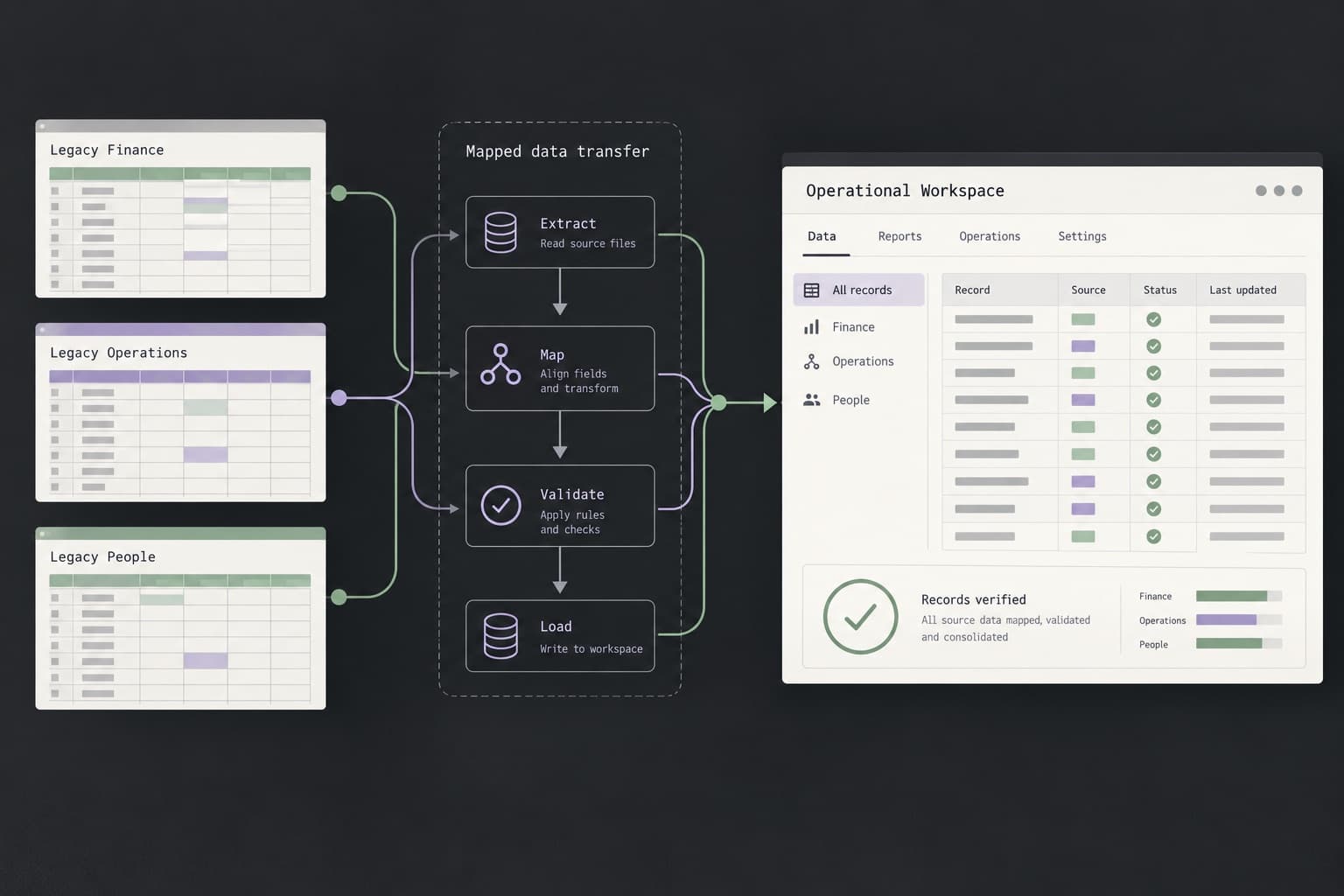
Treat the migration as a project with a written plan, a parallel test period, and a rollback path. The order below keeps the existing product running until the new one has shown it can replace it.
Bubble's export guide describes a similar sequence. It notes that the Bubble app keeps running while you rebuild, that you should plan either a final data sync just before switching or a short period where the app does not accept changes, and that DNS changes can take up to 24 hours to take effect.[4]
Ask for data migration, redirects, and login changes as separate lines in any estimate. They are easy to leave out of a quote and expensive to discover late.
- Inventory what exists: pages, data types and fields, workflows, automations, integrations, user roles, privacy rules, emails, and scheduled jobs. This list becomes your acceptance checklist.
- Export data early and test an import into the new database with a sample. Check linked records, files, dates, time zones, and unique IDs.
- Build against the inventory, not from memory. Turn each privacy rule or permission into a tested rule in the new system.
- Map every URL with traffic, links, or leads to its new address, and plan server-side permanent redirects.
- Decide how users will sign in after the move: a password reset at first login, or a temporary bridge to the old login.
- Recreate integrations with new webhook URLs, API keys stored as secrets, and scheduled jobs set to an explicit time zone.
- Run both systems in parallel with real scenarios, and compare results feature by feature before any customer sees the new app.
- Plan a final data sync or a short change freeze, so records created during the transition are not lost.
- Cut over with lowered DNS TTLs, a tested rollback, and someone watching errors, forms, payments, and sign-ins on the day.
- Keep the old platform account and your exports until the new system has been verified in production.
How do you keep search traffic when you move a no-code website?
Google's guidance on site moves with URL changes says to map old URLs to their new URLs and to use HTTP permanent redirects, such as 301 or 308, where possible. It recommends keeping redirects for as long as possible, generally at least one year, and says to expect temporary fluctuation in rankings during the move.[12]
The same guidance recommends submitting the new sitemap in Search Console, testing redirects with the URL Inspection tool, and submitting a Change of Address in Search Console when the domain or subdomain changes.[12]
Our view: Redirects have to be served by the new host. Once your domain points away from the builder, the builder no longer answers requests for your old URLs, so redirect settings saved there stop applying. Build the full redirect list into the new site and test it before you switch DNS.
Keep URLs the same wherever you can. Builders often use their own path patterns for blog posts, collection pages, and products, and matching them in the new site avoids a redirect altogether. Where a URL must change, send it to the closest relevant page rather than the homepage, then recheck titles, canonical tags, structured data, and forms after launch.
How do you move user accounts and logins to a custom app?
Passwords are the part founders most often miss. Bubble's export guide states that Bubble does not export user passwords, because they are stored in a form that cannot be read back. It describes two options: ask users to set a new password the first time they sign in to the new app, or use the Bubble app as an OAuth identity provider so users keep their current login during the transition.[4]
Other platforms handle memberships and sign-in differently, so ask your vendor exactly what can be exported: email addresses, sign-up dates, roles, subscription status, and connected social logins. Then choose a forced reset, a login bridge, or a gradual move, and write the customer emails before cutover so the change does not arrive as a surprise.
Check social logins and payments separately. Sign-in providers such as Google need the new domain registered in their redirect settings, and subscriptions held by a payment provider should be linked to the new user records rather than recreated.
Decision checklist: should you rebuild in custom code?
Answer each question in writing. If most answers point to a documented limit, a growing cost, or a requirement you cannot meet, a rebuild or hybrid move is worth scoping. If most point to product or market questions, solve those on the tool you already have.
- Which specific limit, cost, or requirement blocks us, and where is it documented?
- Have we tried the platform's own fixes: optimization, a higher plan, plugins, or custom code embeds?
- What will the platform cost at the usage we expect in a year, and what would custom hosting, services, and maintenance cost?
- Can we export every table, file, and content item today, and have we opened a test export?
- Which URLs bring traffic, links, or leads, and do we have a redirect map for each one?
- How will existing users sign in after the move, and what will we tell them beforehand?
- Is there a hybrid option that removes the main risk without a full rebuild?
- Who will own hosting, security updates, backups, and fixes after launch?
- Can we run the old and new systems in parallel, and what is our rollback plan?
- What must the first release of the new system do, and what can wait?
Common questions about moving from no-code to custom code
Is Bubble or custom development better? Neither is better in general. Bubble lets a small team ship and change a full web app without managing servers. Custom development gives full control over code, hosting, and data, and with it the job of running them. Choose by the limits and requirements your product actually has.
Can an AI tool convert a no-code app into code? AI agents can speed up a rebuild by reading an app's structure and drafting code, and some vendors now document this route. Treat the output as a first draft. Permissions, data migration, logins, integrations, and tests still need careful human review.
Should the website and the app move together? Not necessarily. A marketing site and a signed-in product carry different risks. Moving one at a time keeps each change smaller and easier to roll back.
How long does a migration take? It depends on the number of screens, workflows, integrations, and records, and on how much the product changes during the rebuild. Ask for an estimate against your inventory, with data migration, redirects, and login changes listed as separate items.
Where do you start? List the limits you have hit with evidence, run a trial export, and write down the user tasks the new system must support. The project brief builder can turn those notes into a brief, and Diffwise.app can review a website migration, MVP, or web app brief and discuss scope.
Sources and further reading
- WorkloadBubble Manual · Checked 4 November 2026
- Hard limitsBubble Manual · Checked 4 November 2026
- Application and data ownershipBubble Manual · Checked 4 November 2026
- Exporting your Bubble appBubble Manual · Checked 4 November 2026
- Exporting dataBubble Manual · Checked 4 November 2026
- Airtable plans overviewAirtable Help Center · Checked 4 November 2026
- Rate limitsAirtable Web API documentation · Checked 4 November 2026
- How is task usage measured in Zapier?Zapier Help Center · Checked 4 November 2026
- Webflow pricingWebflow · Checked 4 November 2026
- Exporting or Embedding Your Wix Site ElsewhereWix Help Center · Checked 4 November 2026
- Export your site contentSquarespace Help Center · Checked 4 November 2026
- Site moves with URL changesGoogle Search Central · Checked 4 November 2026
- The Data APIBubble Manual · Checked 18 November 2026