
The short answer
What this means for you
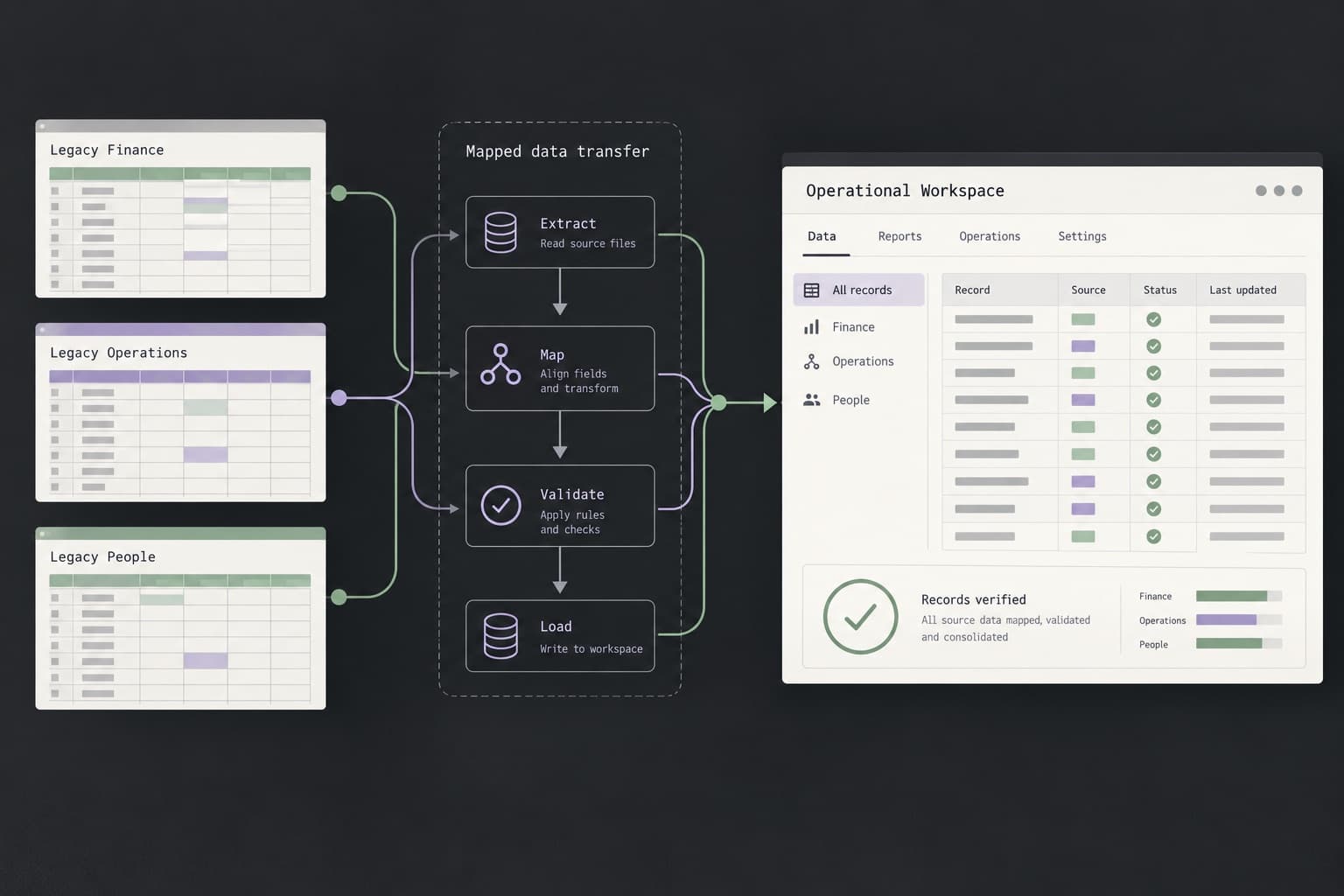
You can export Webflow site code only on a Workspace plan, and it leaves out CMS content, form processing, site search, User Accounts, Ecommerce, and password protection, so a Next.js move is a rebuild with a content migration, not a file copy. Wix describes no code export at all. Keep search traffic by inventorying every URL, mapping each to its new home with permanent redirects, carrying over titles, descriptions, canonicals, and structured data, and testing on a noindexed staging site before launch. Then watch Search Console and keep the redirects for at least a year.
- Webflow code export is limited to Workspace plans and does not include CMS content and functionality, form submission processing, site search, User Accounts, Ecommerce, or password protection.
- Wix's help center says a Wix site must be hosted and operated on Wix's servers and does not describe a code export, so plan to rebuild pages and copy content.
- Map every old URL to a new one with a server-side permanent redirect, send each old URL straight to its final destination, and keep the redirects for at least a year.
- Carry over titles, descriptions, canonicals, sitemap entries, and JSON-LD that matches visible content, and block staging from search until launch.
- If the domain stays the same, there is no Change of Address step. Monitor the Sitemaps, indexing, and search query reports in Search Console after the switch.
Should you move from Webflow or Wix to Next.js at all?
Moving makes sense when the site has outgrown the builder: you need logic, integrations, accounts, or a data model the platform cannot give you, or you want your code and content in a repository you control. It does not make sense for a brochure site that the platform already serves well, because a migration costs effort and carries temporary search risk even when it is done well.
Google states that you should expect temporary fluctuation in site ranking during a move, and recommends timing the move for a period of lower traffic if possible. Treat that as a planning input, not a reason to avoid a justified move.[9]
Our view: Two things decide the size of the job. First, how much of the site is static pages and how much depends on platform features such as the CMS, forms, memberships, or ecommerce. Second, how many URLs earn traffic or links today. The estimator linked below can help you size the build side, and the redesign checklist covers the search side in more depth.
Can you export a Webflow site to Next.js, and what does the code export leave out?
Webflow lets you export your site's code, but not as a Next.js project. The export is website code, not a Next.js project, so you would still have to turn it into components and routes. Webflow's help center says code export is only available on Workspace plans, so a site on a Site plan cannot use it.[1]
The same help article lists what the export does not include: CMS content and functionality, User Accounts, Ecommerce, site and page password protection, form submission processing, reCAPTCHA, site search, localized content, and code components. Because password protection is not included, do not deploy an exported copy of a protected area to the public without rebuilding the protection.[1]
Our view: Practically, that means the export is useful as a reference for markup, styles, and assets. Everything dynamic is rebuilt in Next.js: collection pages, listing pages, filters, search, forms, gated pages, and any commerce. A good scope starts from a page-by-page and feature-by-feature list of what the live site does, not from the exported files.
- Reusable from the export: page structure, copy, styles, and assets you can inspect and rebuild as components.
- Rebuild or replace: CMS collections and templates, forms and their notifications, reCAPTCHA, site search, localized content, code components, User Accounts, Ecommerce, and password protection.
How do you export Webflow CMS collections, images, and form submissions?
CMS content is not part of the code export, but Webflow's help center says CMS Collections, Ecommerce, and User Accounts can be exported as CSV. The CMS export includes archived items, so filter them out on purpose. It also exports only the current locale view, so export each locale you use.[1][2]
If you would rather read the content by program, the Webflow Data API can list the items in a collection. It returns up to 100 items per request with offset paging, requires the CMS:read scope, and gives each item its fields plus isDraft and isArchived flags. Filter out drafts and archived items on purpose, so unpublished content does not go live by accident.[3]
The same API reference warns that updating an item's slug breaks all links that reference the old slug. Carry slugs over unchanged unless you have a reason to change them, and record any change in the redirect map.[3]
Image and file fields export as Webflow-hosted URLs, and Webflow's import help page says those links break if you delete the original site.[2]
Download your assets before you delete the Webflow site, keep the original file names where you can, and add descriptive alt text to your content model rather than leaving it to chance.
Form submission processing is not part of the code export, but Webflow's export help says pre-existing form submissions can be exported separately. Export and store them before you cancel.[1]
Can you export a Wix site, and what can you move?
Wix's help center says a Wix site needs to be hosted and operated on Wix's servers and that its SaaS architecture does not support external hosting. The article does not describe an export of the site as code. It does say the content you build belongs to you, without explaining how to extract it.[4]
Plan on a rebuild: crawl or list the live pages, copy text and download images from the published site or the editor, and recreate layouts as components. If the site has a blog, store, bookings, or members area, treat each as its own migration with its own data export, and check Wix's help center for what that feature allows today.
One point matters for cutover. Wix says you can connect a domain to a Wix site and buy and manage the domain with another provider, and that connecting a domain requires a paid plan. Keep the domain registered somewhere you control, so you can repoint DNS to the new host on launch day without depending on the old platform.[4]
Our view: The query people often type, Wix to Webflow, is a different move and is covered by Webflow's own help center. This guide covers Wix to Next.js.
How do you build the URL inventory and redirect map, and should redirects be 301 or 308?
Start with a complete list of old URLs. Google's site-move documentation says to build the list from sitemaps, server logs, analytics, your CMS, and the Search Console links report, and to include images, videos, JavaScript, and CSS where they matter. Then map each old URL to its new destination.[9]
Use permanent, server-side redirects. Google says 301 and 308 are both permanent and that the target is treated as canonical, and that server-side redirects are the most reliable method. Next.js uses 308 when you set permanent to true in next.config redirects, and 307 when you do not. Vercel recommends 307 or 308 to avoid ambiguity for non-GET methods. For a website move, 301 or 308 both satisfy Google, so the practical advice is to pick one permanent redirect type and use it consistently.[10][5][8]
Avoid chains and lazy mapping. Google says to send old URLs directly to their final destination and not to send many old URLs to an unrelated page such as the new homepage. If a page has no equivalent, return 404 or 410 for it rather than redirecting it to something irrelevant.[9]
In Next.js, redirects set in next.config are checked before the filesystem, and query values pass through to the destination. Use path patterns for whole sections, such as a blog or collection prefix, and explicit entries for pages whose slugs changed. Vercel documents bulk redirects for large-scale migrations that need many thousands of simple redirects, which fits a long list better than a giant config file. That applies only if you host on Vercel.[5][8]
Paths are case-sensitive on Vercel's CDN, so /About and /about are different URLs. Check the case and trailing-slash form in your inventory against what the new site serves.[8]
Our view: Because the domain usually stays the same, the old platform stops answering the moment DNS changes. That means every redirect must exist on the new site before cutover, not after.
Keep the redirects live. Google's guidance is to keep them for as long as possible, generally at least one year.[9]
| Column | What goes in it | Why it matters |
|---|---|---|
| Old URL | The full path as the old site serves it, including case and any query string that matters. | This is the request the redirect must match. |
| New URL | The final destination, not an intermediate one. | Avoids chains and sends signals to one page. |
| Type | Permanent redirect, or 404 or 410 when nothing replaces it. | Do not send unrelated pages to the homepage. |
| Traffic and links | Visits, impressions, and external links from your own data. | Shows which rows to test first. |
| Status | Tested on staging, tested on production. | Gives you a pass condition per row. |
How do you recreate metadata, sitemaps, and structured data in Next.js?
Export titles, meta descriptions, canonical URLs, Open Graph fields, and any noindex settings per page from the old site, and store them next to the content. In the Next.js App Router you set these with the metadata object or the generateMetadata function, which supports title, description, openGraph, robots, and alternates for canonical and language links.[6]
If the page can be prerendered, the resolved metadata is part of the initial HTML. Check the delivered source of key pages rather than assuming it.[6]
Google's site-move guidance asks for self-referencing canonical tags on the new site, correct hreflang annotations if you use them, fixed internal links, and a new sitemap. Next.js can generate the sitemap from a sitemap.ts file that returns your URLs, and can split large sitemaps.[9][7]
For structured data, Google recommends JSON-LD, and says markup must describe content that is visible on the page. Move over only the types the old pages carried that still match the content, such as organization, article, or breadcrumb data, and validate them with the Rich Results Test.[11][12]
Treat structured data as content, not decoration. If the new page no longer shows the review, price, or FAQ, remove the markup that describes it.
How do you rebuild forms, analytics, and integrations?
Webflow's code export does not include form submission processing, so each form needs a new backend. For each form, write down the fields, validation, spam protection, where submissions go, who is notified, and what confirmation the visitor sees. Then build it as a Next.js route handler or server action that writes to your database or sends to your email or CRM provider, and test a real submission end to end.
Do the same for analytics, tag managers, cookie consent, chat widgets, booking tools, payment links, and any embedded third-party scripts. Google asks you to set up analytics on the new site before the move, so you can compare traffic before and after.[9]
Our view: Choose the CMS deliberately. Options include content files in the repository for a small, developer-edited site, a headless CMS when non-developers publish often, or reading content from the Webflow CMS through its Data API during a transition. The last option keeps the Webflow CMS subscription running, so confirm that it fits your plan and budget before you rely on it.
Whichever you choose, give editors a way to preview unpublished content and a way to redeploy or revalidate pages after a change, and write the editing steps down for the person who will use them.
What should the staging checks and launch-day checklist include?
Test on a staging address that search engines cannot index. Vercel documents using a host-scoped X-Robots-Tag noindex header to exclude staging or another host from search, and Google's site-move guidance asks you to prepare robots and noindex changes for launch, then confirm after launch that canonicals and noindex rules point to the new URLs. Remember to remove the staging noindex rule from production.[8][9]
The table lists checks that can each be passed or failed. Run the redirect test against the full map, not a sample.
| Check | Tool | Pass condition |
|---|---|---|
| Every mapped old URL redirects | A script or crawler run against the redirect map | One hop to the final URL with a permanent status, no chains, no loops. |
| Unmapped old URLs | Same script, plus Search Console exports | Return 404 or 410, not a redirect to the homepage. |
| Titles, descriptions, canonicals | Crawler or view-source on key pages | Match the plan, and the canonical points to the page itself. |
| Indexing rules | View-source and response headers | Production has no noindex. Staging does. |
| Sitemap | Open the sitemap URL | Lists only final, indexable URLs and returns 200. |
| Structured data | Rich Results Test | Valid, and describes visible content. |
| Forms and integrations | A real test submission | Reaches the right inbox or system and sends confirmation. |
| Analytics and consent | Browser network panel | Events fire once, and consent behaves as intended. |
| Images and performance | Lighthouse or PageSpeed Insights | No broken images, and key pages meet your own targets. |
| DNS and HTTPS | Browser and curl | The domain serves the new site over HTTPS and old hosts no longer answer. |
What should you watch in Search Console during the first 30 days?
Verify the site in Search Console before launch, including every variant you use. Google's site-move steps then say to submit the new sitemap, test redirects with the URL Inspection tool or scripts, and watch the Sitemaps, index coverage, and search query reports, expecting indexed counts to fall on the old URLs and rise on the new ones. Also check server logs for Googlebot activity and unexpected errors.[9]
You do not use the Change of Address tool for this move if only paths change on the same domain. Google says it is for domain or subdomain changes, and not needed for HTTP to HTTPS moves, www toggles on the same domain, or path changes. If you also change domain, submit it for the old property.[9]
Use URL Inspection on your top pages. It shows Google's indexed version, the canonical Google selected, and whether crawling and indexing are allowed. A live test shows whether Google can fetch the page right now. Request indexing is available, but Google says it does not guarantee that a page appears in the index and that there is a daily limit.[13]
Compare the first weeks against the same weeks before launch for impressions and clicks on your top queries and pages, not just the total. Fix redirect errors, 404s on pages that had traffic, and canonical mismatches first, then work down the list. Keep the redirects in place for at least a year.
Will you lose SEO moving from Webflow or Wix to Next.js?
Not necessarily, but you should expect some movement. Google says to expect temporary ranking fluctuation during a move. The risk comes from avoidable mistakes: missing redirects, changed slugs, dropped titles and canonicals, pages blocked by a leftover noindex, and structured data that no longer matches the page.[9]
If you want the migration planned and run for you, see our website migration service. If you are also redesigning pages or changing the content structure, use the redesign SEO checklist first, because changing both at once makes any traffic change harder to explain.
Sources and further reading
- How do I export my Webflow site code?Webflow Help Center · Checked 18 November 2026
- How do I import content into the Webflow CMS?Webflow Help Center · Checked 18 November 2026
- List collection itemsWebflow Developers · Checked 18 November 2026
- Exporting or embedding your Wix site elsewhereWix Help Center · Checked 18 November 2026
- redirectsNext.js Docs · Checked 18 November 2026
- generateMetadataNext.js Docs · Checked 18 November 2026
- sitemap.xmlNext.js Docs · Checked 18 November 2026
- RedirectsVercel Docs · Checked 18 November 2026
- Site moves with URL changesGoogle Search Central · Checked 18 November 2026
- Redirects and Google SearchGoogle Search Central · Checked 18 November 2026
- Introduction to structured data markup in Google SearchGoogle Search Central · Checked 18 November 2026
- General structured data guidelinesGoogle Search Central · Checked 18 November 2026
- URL Inspection toolSearch Console Help · Checked 18 November 2026