
The short answer
What this means for you
A website redesign SEO checklist starts with the existing URLs and ends with verified behavior after release. Preserve useful content, map changed URLs, test redirects, check indexing controls, and confirm that important forms still work. Record missing search data as unknown before comparing results.
- Build an inventory before changing URLs or removing content.
- Test final destinations, page intent, canonical tags, and internal links together.
- Verify search controls and inquiry paths after the production release.
Start the website redesign SEO checklist with a URL inventory
For a business owner, the first task is to identify what the current site does. Collect the public URLs, sitemap entries, important landing pages, downloads, campaign links, and contact paths. Add Search Console, analytics, and backlink evidence when you can access those sources.
Record each page purpose beside its title, description, heading, canonical URL, status code, and indexing controls. Mark the pages that bring useful inquiries or support important decisions. Keep unavailable metrics separate from observed zero values. Without access, you cannot claim that an old page has no value.
Choose an action for each URL: keep, improve, consolidate, redirect, or remove. Name an owner and a reason. Keep the inventory through release so the team can test the decisions. A navigation menu alone will not expose every page that visitors or external sites use.
Map changed URLs to relevant final pages
Google recommends mapping old URLs to new URLs and using server-side permanent redirects for a site move.[1]
Keep an existing URL when the page still serves the same purpose and the redesign does not require a change. When a change is necessary, select the closest useful replacement. Avoid redirecting unrelated pages to the homepage. The destination should still help someone who follows the old link.
The following rows illustrate a mapping worksheet. Replace the example paths with your actual pages. Record the expected response and final destination before implementation. Give each row a release test rather than assuming a redirect rule covers every variation.
| Old URL | Planned action | Release check |
|---|---|---|
| /old-service | Redirect to the matching service page | One permanent redirect reaches the relevant final page. |
| /services/current-service | Keep the existing URL | The URL returns 200 with the intended page content. |
| /old-article | Consolidate only when the replacement serves the same intent | The new article answers the original reader question. |
| /retired-offer | Remove when no useful replacement exists | The response correctly identifies the removed page. |
Preserve the useful content behind the new design
Compare each important page before and after the redesign. Check whether the new copy still explains the service, intended audience, delivery scope, project evidence, and next action. A shorter page can work well when it keeps the information people need. Remove repetition rather than removing the answer.
Give separate services distinct titles and descriptions. Keep one clear main heading and use section headings for related questions. Preserve useful internal links from articles to services and project examples. Check that important content appears as readable text rather than only inside images or animation.
Keep project evidence precise. A project link can show a public product without proving every delivery role or result. Retain approved claims and sources when the layout changes. Request missing project facts from the owner before adding new business outcomes to the page.
Check canonical URLs, indexing controls, and the sitemap
Google describes redirects, canonical links, and sitemap inclusion as signals that can help identify a preferred URL.[3]
Check the preferred host, protocol, path, and trailing slash behavior together. Each intended public page should identify its preferred canonical URL. Check that internal links use the same destination. Review filtered lists and campaign parameters separately because they may intentionally point to a preferred page.
Google recommends listing fully qualified canonical URLs in a sitemap.[2]
Remove staging restrictions only from pages that should appear in search. Keep deliberate controls for private or unsuitable pages. Verify the final robots rules, page directives, and response headers on production. A correct source file cannot confirm which configuration the hosting platform serves.
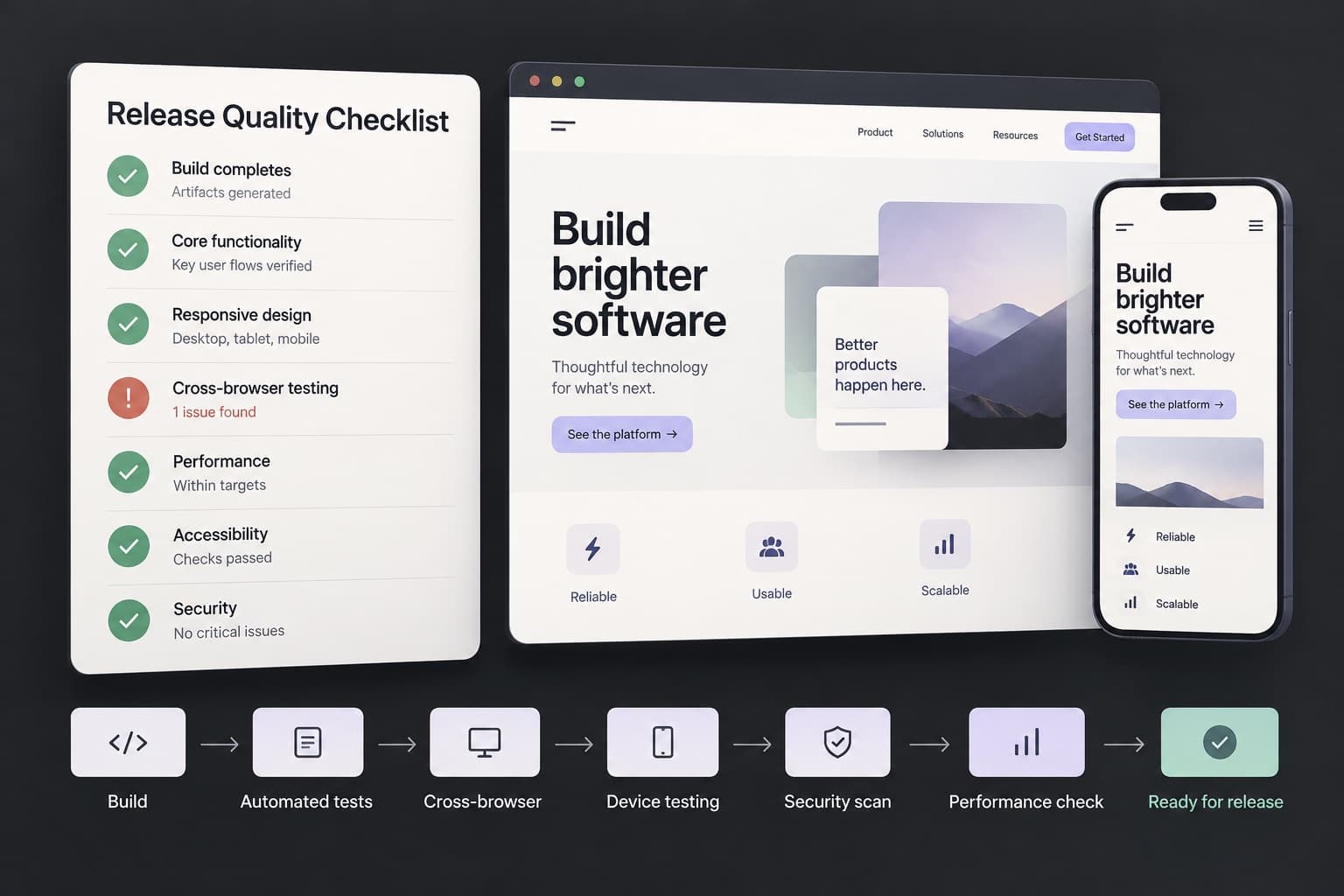
Run these checks before approving the release
Test the redesign as a visitor and as a crawler. Follow old important links through to the final page. Check mobile navigation, readable content, keyboard use, forms, error states, and confirmation messages. Use the release inventory to cover the pages that matter to your business.
A test inquiry needs an agreed test destination and a clear label. Do not send unsolicited messages to real prospects to prove that a form works. Confirm provider acceptance and final delivery separately. Record a form failure as a release problem even when the page itself looks correct.
- Confirm intended 200, redirect, and missing-page responses.
- Check unique page titles, descriptions, headings, and canonical URLs.
- Verify important text and links in the server response.
- Check image sizing, alternative text, layout stability, and mobile overflow.
- Check form validation, delivery, and confirmation through the real inquiry path.
- Keep a recovery plan for the previous release and redirect configuration.
Monitor the redesign after it reaches production
Google notes that search visibility can fluctuate while it processes a site move.[1]
Run the same URL and form checks after deployment. Review important pages in Search Console when access is available. Compare equivalent reporting periods and retain the release date in your notes. Separate branded searches, service searches, and inquiries so one total does not hide a problem.
When a problem appears, trace the specific affected page and signal. A missing page needs a different fix from a changed title or an inquiry delivery error. Avoid changing every URL again before you understand the cause. Record the correction and verify the same failing path.
When a redesign changes platforms, use a website migration scope. For Next.js rendering and metadata concerns, request a technical SEO audit.
Website redesign SEO questions
Can a redesign keep the same URLs? Yes, a visual and content redesign can keep existing URLs. Map changes only when they serve a clear purpose. A template change can affect titles, canonical tags, content, links, and forms. Check them even when URLs remain the same.
Should every removed page redirect? No. Choose a redirect when a relevant replacement exists. A page without a suitable replacement can need a missing-page response instead. Check the original intent and destination before deciding. A broad homepage redirect does not explain a retired service to its reader.
Does this checklist guarantee rankings? No. The checklist verifies release behavior and reduces avoidable migration errors. It does not control search results. Use the website redesign SEO checklist with real page evidence and a clear release owner. Continue observation after release.
Sources and further reading
- Site moves with URL changesGoogle Search Central · Checked 2 November 2026
- Build and submit a sitemapGoogle Search Central · Checked 2 November 2026
- Specify a canonical URLGoogle Search Central · Checked 2 November 2026