
The short answer
What this means for you
MCP gives AI applications a standard way to connect to external systems. Start with one useful task. Define access, approval, and recovery before you let an assistant change business data.
- Choose a specific business task before you build a connection.
- Start with read access and check the answers against the source system.
- Define approvals and recovery for actions that change data.
What MCP does
The Model Context Protocol, or MCP, provides an open standard for connecting AI applications to external systems.[1]
The official documentation describes connections to data sources, tools, and workflows. Examples include local files, databases, and search tools.[1]
Our view: A useful connection gives an assistant access to information that lives outside the conversation. Your team can define which information matters for a task.
Start with a task that has a clear result. For example, help a support team find an order record.
A practical example: finding an order
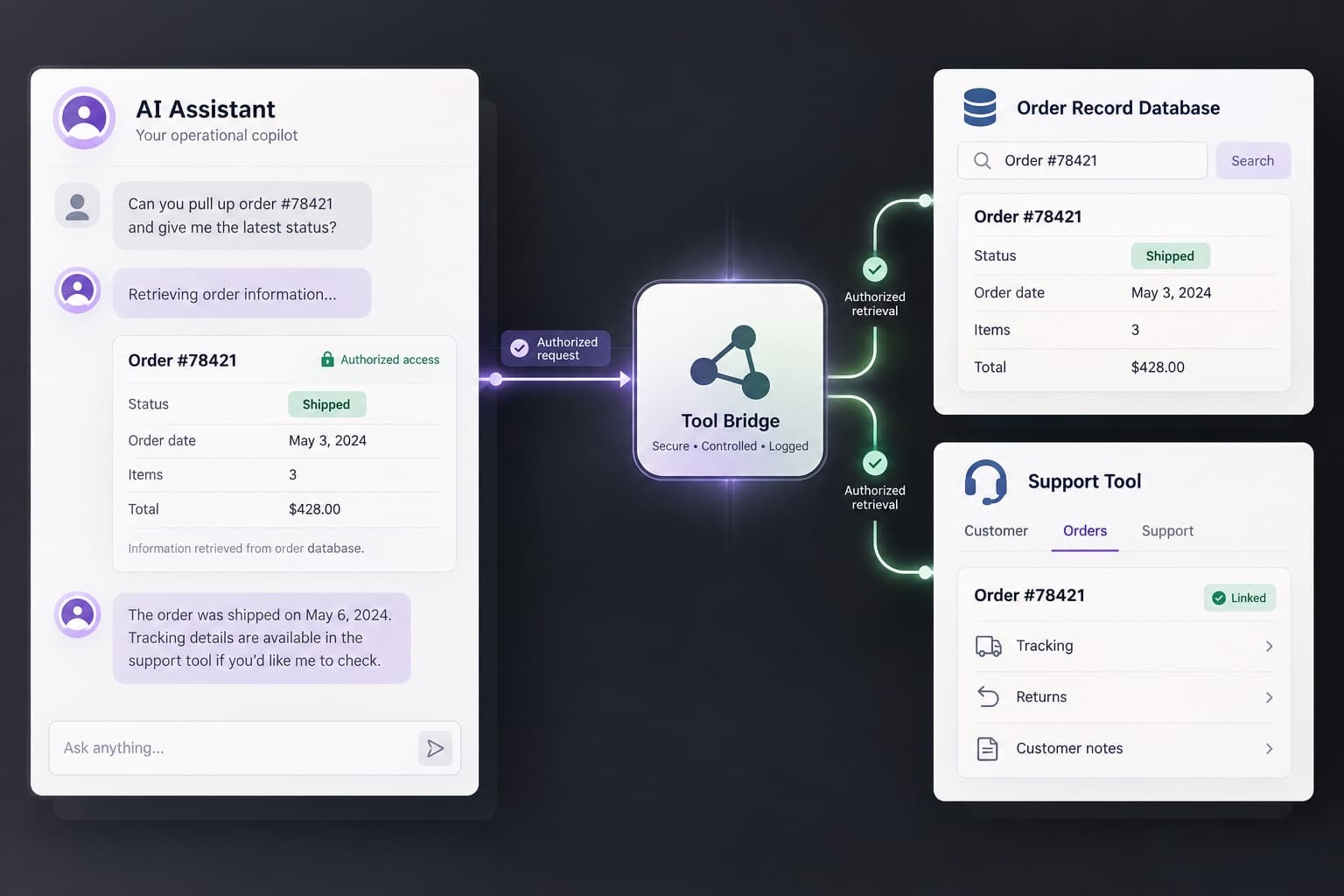
Our view: Consider a support assistant that helps staff answer order questions. This example describes a possible design, rather than a tested product.
Give the assistant a tool that retrieves an order by its reference number. Return only the fields the support team needs.
Show the order reference and the source system beside the answer. Staff can compare the response with the original record.
Begin with read access. Add actions, such as updating a delivery note, only after you define approval and error handling.
- Input: an order reference from an authorized staff member.
- Output: the current order details from the connected system.
- Next step: a staff member checks the answer before sending it to a customer.
Define the connection boundaries
List the systems the assistant can use. Define which users can request each task and which records they can access.
Our view: A standard connection does not define your business rules. Your application still needs clear rules for access and actions.
Keep credentials outside article content and application logs. Record useful task results without exposing customer details.
Plan for missing records, expired access, and unavailable services. Give staff a clear recovery step when a task fails.
Test one task before you expand
Test normal requests and difficult cases with controlled data. Compare each answer with the source record.
Check what happens when the user supplies the wrong reference. Confirm that the assistant respects the user’s access limits.
Our view: A small pilot can show whether the connection helps your team. Measure task completion and correction needs before adding more systems.
Choose the next connection from a real workflow problem. A longer tool list does not establish better results.
Turn the idea into a development brief
Write down the task, the users, the source system, and the expected result. Identify the actions that need approval.
Include failure cases and acceptance checks in the brief. Your development team can use these checks to test the connection.
Our view: This planning connects the AI feature to a business process. It also gives the team a clearer development scope.
Sources and further reading
- What is the Model Context Protocol (MCP)?Model Context Protocol · Checked 6 October 2026