
The short answer
What this means for you
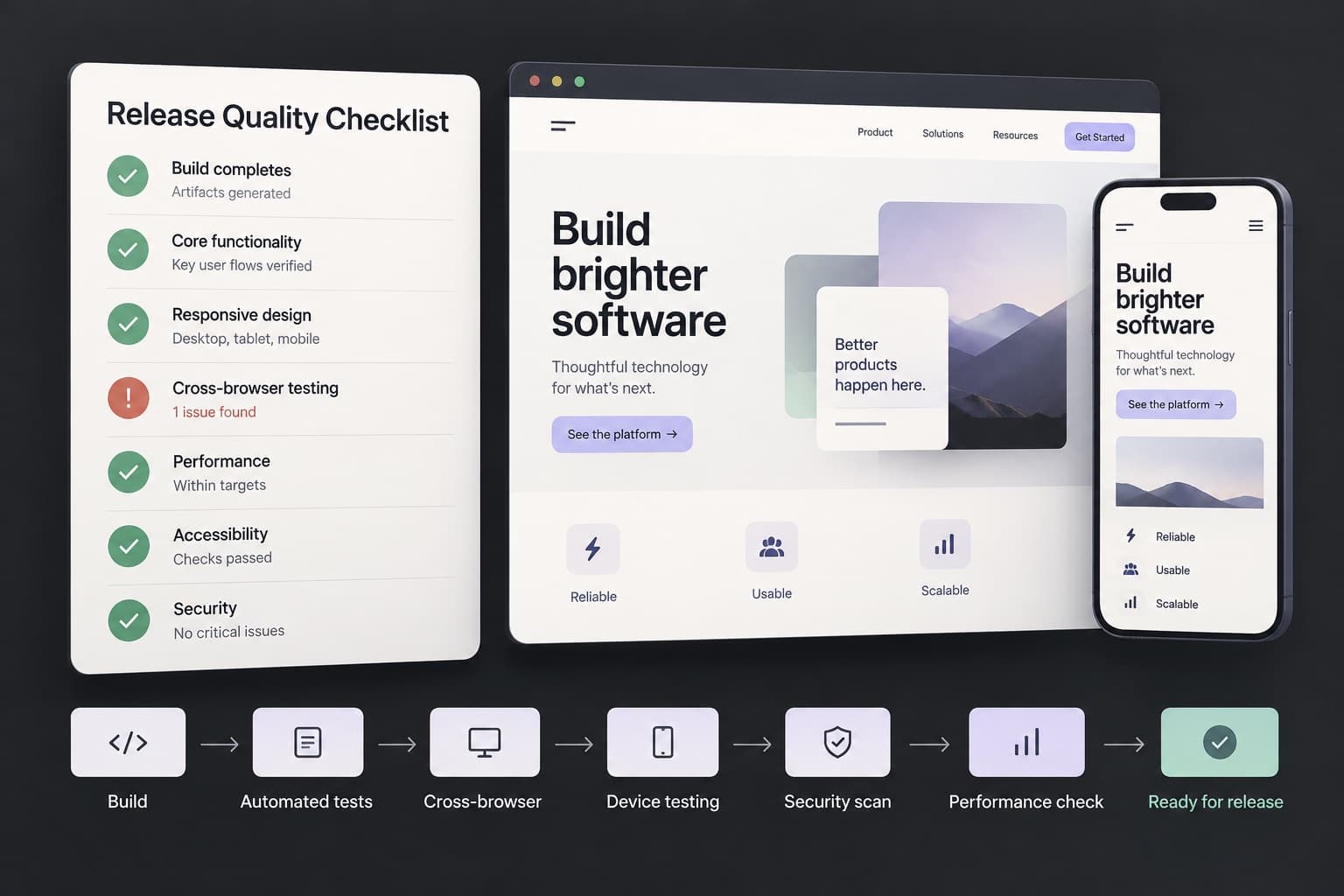
To get a Bolt app ready for production, move to a paid plan for Pro hosting and a custom domain, run the project security audit, test every database policy with two accounts, keep keys in Secrets, switch Stripe to live keys only after test payments pass, and connect GitHub. Bolt's help center listed Pro hosting at 30 GB and 1 million requests a month in November 2026, with pay-as-you-go above that up to a cap you set. Bolt's version history does not roll back your database, so plan data recovery separately.
- Free hosting has a hard account-wide limit of 10 GB bandwidth and 333,333 requests a month; sites stop displaying when it is reached.
- Restoring an earlier Bolt version does not change your Bolt or Supabase database.
- Bolt deploys server functions automatically when it creates or changes them.
- Our launch budget method turns visits, pages per visit, and page weight into a spending cap before launch day.
What does production-ready mean for a Bolt app in 2026?
Our view: Founders and product owners who built a web app in Bolt.new and are about to take real sign-ups or payments are the readers we wrote this for. The guide covers Bolt Cloud hosting, Bolt Database, exports, and our pre-launch review. Expo mobile builds, Teams administration, and legal or privacy compliance advice sit outside its scope.
Bolt's help center says every project can publish to a free bolt.host address, custom domains require a paid plan, and publishing takes about a minute. Use the Publish or Update button rather than asking Bolt in chat, because the button does not use tokens and a chat prompt does. Free plan sites are always public and show a Made in Bolt badge; private sites with invited viewers need a paid plan.[5][3]
What does Bolt build, host, and store for you?
Bolt is an AI app builder developed by StackBlitz, the team behind WebContainers, which run Node.js directly in the browser. Bolt's introduction says it builds full-stack web apps across JavaScript frameworks and is SOC 2 Type II compliant. The browser environment is for building and previewing, while the live app runs on Bolt Cloud or another connected host, so test production behaviour on the published URL.[1]
Bolt hosting publishes websites and single-page apps built with React, Vue, Svelte, and similar frameworks, plus Next.js apps including server-rendered pages. Bolt's hosting documentation says apps using TanStack Start, SvelteKit, Remix, or Astro should be built as static HTML before publishing. If inner pages show Page not found after publishing, Bolt's fix is a redirect rule. Ask Bolt which framework your project uses before choosing a host.[3]
Bolt Database is created automatically when a project needs one and is available on every plan. It includes tables, authentication, file storage, server functions, secrets, logs, and a security audit, all opened from the database icon in the editor. Bolt's secrets page notes that reserved secrets beginning with SUPABASE_ exist because Supabase powers Bolt Database. On Pro or Teams you can claim the database into your own Supabase account.[6][8]
| Part | Bolt default | What to confirm before launch | Official doc |
|---|---|---|---|
| Build environment | WebContainers in the browser, by StackBlitz | The app works on the published URL, not only in the preview | support.bolt.new/get-started/intro-bolt |
| Hosting | Bolt Cloud on bolt.host; Netlify optional | Plan limits, spending cap, custom domain connected | support.bolt.new/bolt-cloud/hosting |
| Database | Bolt Database (Supabase-powered) on every plan | Who owns it, whether it can pause, and the policies on every table | support.bolt.new/bolt-cloud/database |
| Backend code | Server functions deployed automatically | Which functions exist and that each has error handling | support.bolt.new/bolt-cloud/database/server-functions |
| Code history | Version history in Bolt; optional GitHub | Repository under your company's GitHub account | support.bolt.new/integrations/git |
What are Bolt Cloud hosting limits, and what happens when you hit them?
Bolt Cloud hosting has two base levels. Free includes up to 10 GB of bandwidth and 333,333 requests a month with a hard limit. Pro includes up to 30 GB and 1 million requests a month, and paid users can buy more with pay-as-you-go up to a spending cap they set. Bolt estimates Free supports about 10,000 to 15,000 monthly visits and Pro often 100,000 or more, depending on page size.[4]
The limits apply to the whole Bolt account, not to each project, so several published sites share one allowance. A Free site that reaches its limit stops serving until usage resets at the start of the next billing cycle, and a Pro site pauses when it reaches the spending cap. Bolt advises raising the spending limit before a product launch.[4]
Bolt can also pause an inactive database. Bolt's database documentation says a Bolt Database with low usage for six days or more can be paused, but databases in live Bolt-hosted projects are not paused, while unpublished and Netlify-hosted projects can be. If the database is claimed into Supabase, Supabase's Free plan pauses it after a week of low activity even when the Bolt project is published.[6][14]
How do you turn Bolt hosting limits into a launch budget?
Our view: A Bolt launch budget converts expected traffic into bandwidth and requests, compares them with the plan allowance, and sets the spending cap before launch day. The formula is visits times pages per visit for requests, and requests times average page weight for bandwidth. Bolt counts a request each time someone loads a page or visits the site, and limits are shared by every site on the account.[4]
Our view: Illustrative example with assumed figures: 40,000 visits a month at 2.5 pages per visit gives 100,000 requests, well under Pro's 1 million. At an assumed 0.4 MB per page view, the baseline is 40 GB a month. A month has about 4.3 weeks, so a normal week is about 9.3 GB. A launch week at three times normal traffic adds two extra weeks' worth, about 18.6 GB, for roughly 59 GB in the launch month, about 29 GB over Pro's 30 GB.[4]
Measure page weight rather than guessing: load the published site with the browser's Network tab open and read the transferred total for a typical page, with the cache cleared and again with it warm. Image-heavy pages raise bandwidth fastest, and Bolt says image-heavy sites use more. Compressing images is often cheaper than raising the cap, and it also speeds up the site.[4]
| Input or result | Value | How it is calculated |
|---|---|---|
| Visits per month | 40,000 | Assumed |
| Requests | 100,000 | 40,000 x 2.5 pages; Pro includes 1,000,000 |
| Baseline bandwidth | 40 GB a month | 100,000 x 0.4 MB (assumed page weight) |
| Normal week | About 9.3 GB | 40 GB / 4.3 weeks |
| Launch week extra | About 18.6 GB | 2 x 9.3 GB for a week at 3x traffic |
| Launch month total | About 59 GB | 40 GB + 18.6 GB |
| Over Pro allowance | About 29 GB | 59 GB minus 30 GB |
| Spending cap | 29 GB x per-GB rate shown in Cloud settings | Set before launch, reviewed after week one |
What is missing between a published Bolt app and a production app?
Row level security (RLS) is the Postgres feature that decides which rows each request may read or change, and it is the main access control in Bolt Database. Bolt offers two checks for it: a project security audit that reviews code and database, runs from the Publish menu without tokens, allows 30 runs a day, and needs a paid plan; and a database security check on all plans that uses the same checks as Supabase's Security Advisor.[16][7]
The warning to read carefully is RLS Policy Always True. Bolt's documentation says that if sign-in has not been added, Bolt may write policies that let any visitor view, add, change, and delete data. Such a policy can be fine for a public menu but never for orders or messages. Decide per table whether visitors may only read, may only submit, or must sign in, then test each rule with direct requests.[7]
Release control is the other gap. Bolt deploys server functions automatically when it creates or updates them, so a backend change can reach users without a publish. Bolt documents a project-knowledge instruction that writes changes to a server-function-drafts folder until you approve them. For an app with paying users, we would turn that on and review function changes like any other release.[9]
| Area | What Bolt provides | What you still prove | Official doc |
|---|---|---|---|
| Access rules (RLS) | Database security check on all plans; project audit on paid plans | No table allows unrestricted writes; two users cannot see each other's rows | support.bolt.new/bolt-cloud/database/security |
| Secrets | Secrets read only by server functions, never written to files | No private key sits in .env values the browser reads | support.bolt.new/bolt-cloud/database/secrets |
| Test and live | Preview and published site; Stripe test keys | Live keys only in production; test data not copied to live tables | support.bolt.new/integrations/stripe |
| Payments | Stripe integration with automatic webhook registration and signature checks | Failed payments, cancellations, and refunds change access correctly | support.bolt.new/integrations/stripe |
| Resend by default with your own API key | Sender domain verified; auth emails arrive; limits fit launch volume | support.bolt.new/bolt-cloud/database/send-emails | |
| Monitoring | Database logs; server function logs for the past hour; hosting analytics on paid plans | An error tracker or log review with a named owner | support.bolt.new/bolt-cloud/database/server-functions |
| Backups | Version history for code; ZIP download; GitHub | A database export and restore path, since version history skips data | support.bolt.new/managing-projects/rollback-backup |
How should a Bolt app handle secrets, email, and Stripe payments?
Bolt separates secrets from environment variables. Bolt's secrets documentation says secrets are available only to server functions and are never written into project files, browser code, or the published site. Environment variables in the .env file are part of the code: editors and co-owners can see them, and any value read in the browser is sent to every visitor. Put payment, email, and AI provider keys in Secrets, and only public values in .env.[8]
Bolt's Stripe integration needs a Bolt or Supabase database, user authentication, and edge functions, and does not work with Firebase. Bolt registers the webhook endpoint and verifies signatures automatically, and its guide says to start with test keys beginning sk_test_. Before switching to live keys, test a declined card, a cancelled subscription, and a refund, and confirm that access changes only after the verified webhook arrives, as Stripe's webhook documentation recommends.[15][2]
Can you roll back a Bolt app, and does that restore the database?
Bolt can roll back code, but rolling back code does not restore data. Bolt's backup documentation says restoring an earlier project version does not change your current Bolt or Supabase database. Version history, chat history restores, ZIP downloads, and GitHub all recover files. A bad data update needs a database-level recovery plan, which for a claimed Supabase database means Supabase backups. We also connect GitHub under a company organization so every change has an author and a date.[11][12]
Should you stay on Bolt Cloud, use Netlify or Supabase, or export the code?
Stay on Bolt Cloud when the team keeps building in Bolt and the app fits Pro hosting limits. Claim the database into Supabase when you need SQL editing, custom SMTP, or the data in your own account; Bolt's Supabase page says the move cannot be reversed, so decide before the first customers arrive.[14]
Exporting to your own hosting through GitHub makes sense when the codebase outgrows editing by prompt. Bolt's token documentation says most token usage comes from reading and syncing project files, so larger projects use more tokens per message, and each conversation has a token limit. Once a team edits mostly in an IDE, deploying from the repository to a host the team already runs gives branch previews, deploy logs, and code review.[17]
- Choose Bolt Cloud when you want one-click publishing, a built-in database, and traffic within Pro limits plus a spending cap.
- Choose your own Supabase account when an auditor or customer needs the data under your organization, or you need SQL access and custom SMTP.
- Choose Netlify only for frontend-only sites, such as landing pages, where no database or backend is involved.
- Choose export to GitHub and your own host when edits happen mostly outside Bolt and you need pull requests, tests in CI, and deploy history.
How we review a Bolt app before launch
Our Bolt review begins with the database icon. We open Security, record every warning with its level, and list each table that shows RLS Policy Always True, Function Search Path Mutable, or Leaked Password Protection Disabled. Bolt's documentation says the Security tab uses the same checks as Supabase's Security Advisor, so we look up each warning in Supabase's advisors documentation rather than relying only on Bolt's automatic fix.[7]
For each flagged table we run an anonymous fetch: a REST request to the project's database URL using only the publishable key from the locked .env values and no user token, which makes the request arrive as the anon role, meaning a visitor who is not signed in. If private rows come back, or an insert or delete succeeds, the table is a Blocker. We repeat with a second test user's token to confirm each user sees only their own rows.
Before asking Bolt to fix anything, we label a version in version history so the change can be undone, because Bolt's security page notes that fixes edit code or the database. We then open Code view, read every value in .env that the browser reads, and open Server Functions to check each function's logs from the past hour after running the main journeys. Bolt shows only an hour of function logs, so we run tests and read logs in the same session.[16][9]
- What we flag first: RLS Policy Always True on any table with personal data, meaning any visitor can read, add, change, or delete those rows.
- Function Search Path Mutable, meaning a database function does not fix which schema it looks in, so its lookups could be redirected; we ask for a fixed search path.
- Leaked Password Protection Disabled, meaning users can choose passwords already exposed in known breaches.
- A private key in a browser-read .env value or anywhere in Code view files instead of Secrets.
- An anonymous fetch that returns rows, or an insert that succeeds, on a table meant to be private.
- A Stripe flow that grants access from the success page rather than the verified webhook.
Our view: what we would not do with a Bolt app
We would not move an app with sign-in or saved data to Netlify hosting, because Bolt's Netlify page says Netlify cannot host a database or traditional backend, and the app would lose the backend it depends on. We would also not treat version history as a data safety net: a bad data update is undone only from a database backup taken before it happened, so that backup has to exist before launch.[13]
Defaults are tightening, which helps new apps but not old ones. Bolt's release notes say that from October 30, 2026, new Bolt database tables are private by default and need explicit permissions to read or write, while existing databases are not affected. Tables created before that date still need the policy review above.[19]
What drives the cost and time of making a Bolt app production-ready?
Bolt's pricing page lists Free at 0 US dollars with 1 million tokens a month, Pro at 25 US dollars a month starting at 10 million tokens, and Teams at 30 US dollars per member, as of November 2026. Free accounts also have a daily limit of 300,000 tokens. Every paid subscription includes Pro hosting, and pay-as-you-go hosting above the included allowance is billed up to the cap you set.[18][17][4]
Our view: On Bolt, cost after launch comes from three meters that move independently: tokens for further building, hosting overage for traffic, and a Supabase bill if the database is claimed into your own account. Engineering time grows with the tables that need policy rewrites, with Stripe subscriptions, and with how much editing has moved into an IDE. Diffwise.app quotes each project after a scoping conversation.
Frequently asked questions
Is Bolt.new good enough for a production app?
Bolt Cloud can host production traffic: Pro hosting includes 30 GB of bandwidth and 1 million requests a month with pay-as-you-go above that, and Bolt's introduction page states that Bolt is SOC 2 Type II compliant. An app is production ready only when its database policies, secrets, payments, and data recovery have been tested, and Bolt's database check covers only the database.
Can I use a custom domain with Bolt for free?
No. As of November 2026, every Bolt plan can publish to a free bolt.host address, but custom domains require a paid plan. Bolt's pricing page lists Pro at 25 US dollars a month. If you downgrade later, existing custom domain sites stay online, but you cannot republish or reconnect a custom domain until you upgrade again.
How do I export a Bolt project?
Connect GitHub from the GitHub icon in the editor and create or link a repository; Bolt then keeps commits in sync. You can also download a ZIP of the project files from the project title menu on desktop. Neither export includes your database data, so export data separately from Bolt Database or from Supabase if you claimed it.
Can I deploy a Bolt app to Netlify or Vercel?
Bolt's built-in Netlify integration publishes from Bolt, but Netlify cannot host a database or traditional backend, so it suits frontend-only sites. For other hosts, push the code to GitHub, deploy from the repository with that host's build settings, and set environment variables and secrets there.
Does restoring a Bolt version restore my database?
No. Bolt's documentation says restoring an earlier project version does not change your current Bolt or Supabase database. Version history recovers code and files only. Plan data recovery separately, for example with Supabase backups on a paid Supabase plan if you claimed the database, and test a restore before launch.
Why did my Bolt site stop loading?
The most common plan-related cause is the hosting limit. Free accounts share 10 GB of bandwidth and 333,333 requests a month across all sites, and sites stop displaying until the next billing cycle once it is reached. Pro sites pause when they hit the spending cap. Also check whether a database was paused for inactivity, which Bolt avoids for live Bolt-hosted projects.
Sources and further reading
- Intro to BoltBolt (StackBlitz) · Checked 23 November 2026
- Receive Stripe events in your webhook endpointStripe · Checked 23 November 2026
- Host your Bolt project: publishing, plans, and limitsBolt (StackBlitz) · Checked 23 November 2026
- Bolt Cloud hosting plansBolt (StackBlitz) · Checked 23 November 2026
- Publish your project to a live websiteBolt (StackBlitz) · Checked 23 November 2026
- Add and manage a built-in database in your Bolt projectBolt (StackBlitz) · Checked 23 November 2026
- Database security settingsBolt (StackBlitz) · Checked 23 November 2026
- SecretsBolt (StackBlitz) · Checked 23 November 2026
- Server functionsBolt (StackBlitz) · Checked 23 November 2026
- Send emails from your Bolt appBolt (StackBlitz) · Checked 23 November 2026
- Backups, restore, and version historyBolt (StackBlitz) · Checked 23 November 2026
- GitHub for version controlBolt (StackBlitz) · Checked 23 November 2026
- Netlify for hostingBolt (StackBlitz) · Checked 23 November 2026
- Supabase for databasesBolt (StackBlitz) · Checked 23 November 2026
- Stripe for paymentsBolt (StackBlitz) · Checked 23 November 2026
- Check your project's securityBolt (StackBlitz) · Checked 23 November 2026
- TokensBolt (StackBlitz) · Checked 23 November 2026
- Bolt pricingBolt (StackBlitz) · Checked 23 November 2026
- Release notesBolt (StackBlitz) · Checked 23 November 2026